
How to Save Recipes from Facebook (Posts, Reels & Groups)
To save recipes from Facebook, tap the three dots on the post or Reel and choose Save, then find it later in Saved from the menu. That only bookmarks the post, and it can be hard to find again. To keep a written recipe, share the post to a recipe app like Miga, which turns it into ingredients, amounts and steps.
A lot of the best home cooking on Facebook never reaches a blog: a grandma’s pound cake in a group, a quick Reel for weeknight chicken, a casserole posted in a church cookbook page. Saving is easy. Finding the recipe again, with amounts you can actually follow, is the hard part. This guide covers how to save recipes from Facebook, where Saved lives, and how to turn a post into a written recipe.
How to save recipes from Facebook posts and Reels
Facebook has a built-in Save option, free on iPhone and Android. It works on posts, Reels, videos and links.
- Open the recipe post or Reel. It can be in your feed, on a Page or in a group.
- Tap the three dots on the post (top right), or the menu on a Reel.
- Tap Save. The wording changes with what you are saving: Save post, Save video or Save link.
- Add it to a collection if prompted. Naming one “Weeknight Dinners” or “Desserts” keeps things tidy.
Facebook’s Help Center pages didn’t load for us when we checked on October 23, 2026, so these steps are described in general terms. Labels and menu positions can differ by app version, so if something looks different, update Facebook from the App Store or Google Play.
Where to find saved recipes on Facebook
Everything you save goes to a private list called Saved. Only you can see it.
- In the app: open the menu (your profile picture or the three lines, depending on your version) and look for Saved. If you don’t see it, tap See more.
- In a browser: go to facebook.com/saved, or look for Saved in the left sidebar.
Saved lets you filter by type, such as posts, videos or links, and group items into collections. As far as we can tell there is no ingredient search inside it, which is where recipes start to get lost.
How to save recipes from Facebook groups
Groups are where many cooks share family recipes, and they have a few quirks.
- Save the post the same way: three dots, then Save.
- Check the comments. Many people post the full recipe in the first comment or reply to “recipe please” with it. Saving the post doesn’t copy a comment.
- Watch for privacy. If you leave the group, or it becomes private, you may lose access to the post, and so to the recipe.
- Copy long text. For a text-only recipe, press and hold the text, copy it and paste it into Notes as a backup.
Why recipes get lost in Facebook’s Saved list
Saved is a bookmark list, not a recipe box. After a few weeks you hit the same problems:
- No search by ingredient. You have 80 saves and a bag of potatoes, and no way to search “potatoes.”
- The recipe isn’t written out. In Reels the amounts are often spoken or flashed on screen.
- You depend on the original. If the poster deletes it, you may lose access.
- No grocery list. You retype ingredients into another app.
How to turn a Facebook post into a written recipe
There are three ways, from slowest to fastest.
1. Copy the text
If the recipe is in the post or a comment, copy it into Notes. It works when the recipe is written out, and you end up with a pile of unsorted notes.
2. Take screenshots
Quick, but screenshots mix in with your photos and can’t be searched by ingredient.
3. Share the post to a recipe app (the fastest way)
A recipe app like Miga reads the video and its description and writes out the ingredients, amounts and steps.
- On the post or Reel, tap Share.
- Choose Miga from your list of apps.
- In seconds you have a written recipe saved to your collection.
The same method works for Instagram, TikTok, YouTube, Pinterest and recipe websites, so your Facebook recipes sit with the rest. If you also save from other apps, see our guides to saving recipes from Instagram and from TikTok.
How to organize Facebook recipes once they’re saved
With the recipe written out, you get tools Facebook doesn’t offer:
- Custom collections for desserts, weeknight dinners or family recipes.
- Search by ingredient, across everything you’ve saved.
- Weekly plan and shopping list: pick breakfast, lunch and dinner for each day, then send the ingredients to your list, grouped by recipe with their servings.
- Cooking mode: one step at a time, large text, a timer on each step and a screen that stays on.
- Servings that recalculate the amounts, and translation of recipes in other languages.
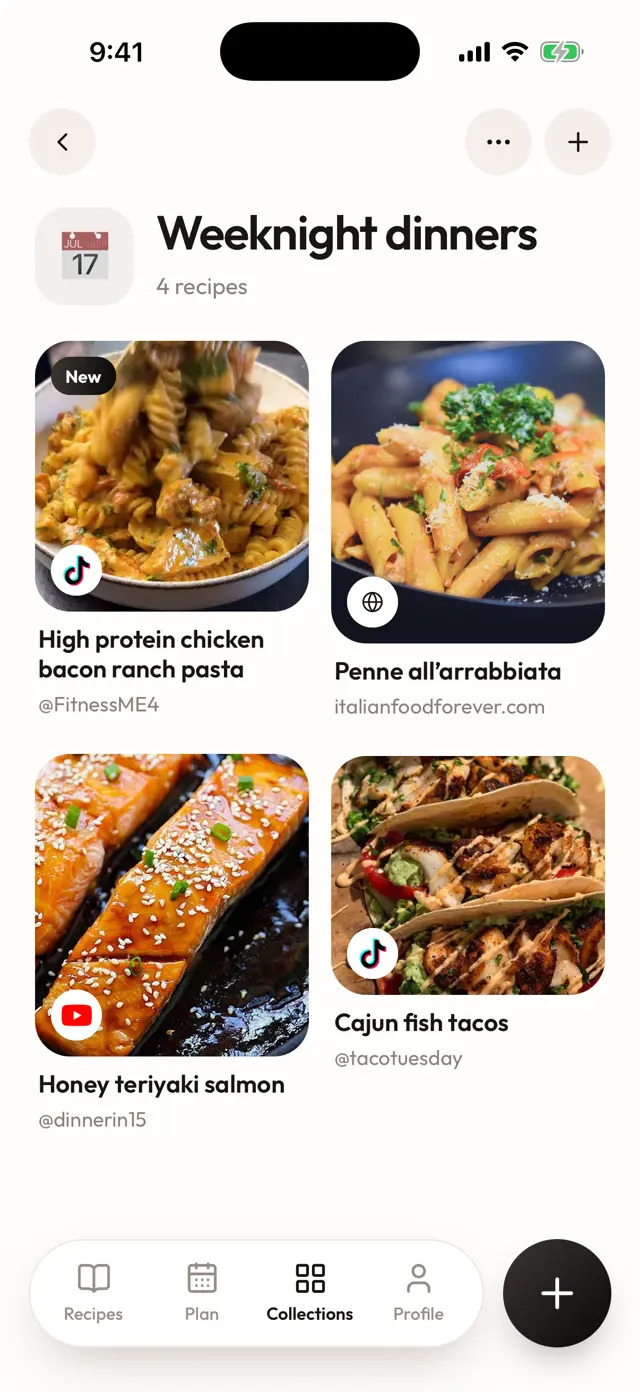
For a side-by-side look at the options, see the best apps to save recipes from social media.
Join the Miga waitlist
Miga, the AI recipe app, launches in November 2026 on iPhone and Android. It is a subscription with a free trial, and the price depends on your country. Join the waitlist on the home page and have your Facebook recipes organized from day one.
Frequently asked questions
Where are my saved recipes on Facebook?
Open the Facebook menu and look for Saved, or visit facebook.com/saved in a browser. On some versions you may need to tap See more first. Menu names and positions can change between app versions.
How do I save recipes from Facebook groups?
Open the group post, tap the three dots and choose Save. If the recipe is in a comment or the post is long, copy the text, or share the post to a recipe app like Miga so it is saved as ingredients and steps.
Can I save recipes from Facebook Reels?
Yes. Open the Reel, use its menu to save it, and it shows up in Saved with your other items. A Reel is still a video, so the amounts may only be spoken or shown on screen.
How do I move a Facebook recipe into a recipe app?
Tap Share on the post or Reel and pick Miga from your apps. Miga reads the video and the description and writes out the ingredients, amounts and steps, so you don't retype anything.
What if the post gets deleted or the group goes private?
You may lose access, since Saved keeps a link to the post and not a copy of the recipe. A recipe imported into Miga stays saved even if the original is gone.